Seamless Floral Autumn Leaves Pattern: A Practical Guide to Vector Assets
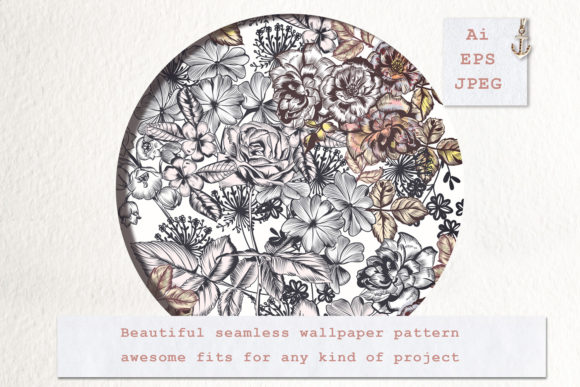
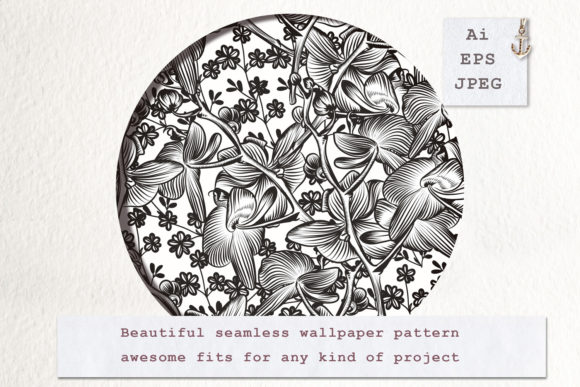
A well-executed seamless floral autumn leaves pattern captures the transitional beauty of the season without overwhelming your design. For creators, marketers, and small business owners, this specific aesthetic bridges the gap between summer vibrancy and winter minimalism. It is a versatile visual tool used in packaging, web backgrounds, textile printing, and social media branding. However, the difference between a professional result and an amateur attempt often lies not in the artistic concept, but in the technical handling of the asset itself.
When you acquire a digital asset that includes one vector EPS file and one JPG, you are holding two distinct tools for different stages of production. Many users overlook the functional differences between these formats, leading to pixelated prints, uneditable files, or wasted hours trying to manipulate a raster image as if it were a vector. Understanding how to leverage both files correctly is essential for maintaining quality and efficiency in your workflow.
The Critical Distinction Between EPS and JPG
The most common mistake beginners and even some intermediate designers make is defaulting to the JPG file because it is easier to open and preview. While the included JPG serves as an excellent reference or a quick placeholder for mockups, it should rarely be your final production file for print or scalable media. The JPG is a raster image composed of a fixed grid of pixels. If you stretch it beyond its native resolution, the edges of the leaves and flowers will blur, and artifacts will appear.
In contrast, the vector EPS file contains mathematical paths rather than pixels. This means the seamless floral autumn leaves pattern can be scaled to the size of a billboard or shrunk to a business card without losing a single detail. More importantly, the vector format allows you to edit individual elements. If the orange in the leaves clashes with your brand palette, you can select those specific shapes in Adobe Illustrator or Affinity Designer and adjust the color instantly. Attempting this with the JPG requires complex masking and recoloring techniques that often yield muddy results.
Verifying True Seamlessness Before Committing
Not all patterns labeled "seamless" are created equal. Before integrating the pattern into a large-scale project, you must verify the tiling integrity. A true seamless floral autumn leaves pattern aligns perfectly on all four axes. Open the EPS file and create a test swatch by duplicating the artboard horizontally and vertically. Zoom in to 400% or higher at the seam lines.
Look for three specific issues:
- Hard Edges: Visible straight lines where the tiles meet indicate the bounding box was not set correctly during creation.
- Color Shifts: Sometimes the background color varies slightly between tiles due to gradient errors or compression artifacts in the source file.
- Motif Clipping: Ensure that leaves or petals crossing the border are mirrored perfectly on the opposite side. A half-leaf on the left edge must match the other half on the right edge exactly.
Catching these flaws during the evaluation phase saves you from discovering them after sending files to a printer or launching a website. If the vector file has minor alignment issues, they are fixable because it is editable. If the JPG has these issues, you are generally stuck with them.
Common Application Mistakes and Corrections
Even with a perfect file, application errors can degrade the final output. One frequent oversight involves color profiles. Autumn palettes rely heavily on warm oranges, deep reds, and golden yellows. These colors behave differently in RGB (screen) versus CMYK (print). The EPS file may arrive in RGB mode for maximum screen vibrancy. If you send this directly to a commercial printer without converting and proofing, the resulting colors may look dull or brownish.
Always convert your vector pattern to the appropriate color space for the intended medium. When working in vector software, use global swatches for the autumn colors. This ensures that if you need to tweak the saturation of the maple leaves later, the change propagates through the entire pattern automatically. Relying on local fills makes future adjustments tedious and prone to inconsistency.
Managing File Size and Performance
Vector files can sometimes be deceptively heavy. A seamless floral autumn leaves pattern with intricate details, excessive anchor points, or embedded raster textures can slow down your design software significantly. Before using the EPS in a complex layout, check the file structure. Use the "Simplify" path command to reduce unnecessary anchor points without altering the visual shape of the leaves.
If the pattern includes textured overlays that were embedded as high-resolution images within the vector, consider whether that level of detail is necessary. For web use or small-format stationery, simplifying the vector or exporting a fresh, optimized JPG from the corrected vector is often more efficient than forcing your browser or RIP software to process millions of vector nodes.
Evaluating Quality Before Purchase or Download
Whether you are buying from a marketplace or downloading a free resource, apply a critical eye to the listing. High-quality previews are non-negotiable. You should be able to see the pattern tiled at least 2x2 in the preview images. If the seller only shows a single square or a stylized mockup that obscures the edges, proceed with caution. You cannot verify seamlessness without seeing the repeat.
Check the description for layer organization. A professional seamless floral autumn leaves pattern should have logical grouping. Backgrounds, foliage, and floral accents should ideally be on separate layers or sub-layers. Flat, merged vectors limit your creative control. If you cannot isolate the flowers from the leaves, you lose the ability to create variations, such as a leaf-only texture or a floral border.
Also, review the licensing terms carefully. Just because you possess the EPS and JPG does not mean you have unrestricted usage rights. Some licenses prohibit using the pattern as-is on merchandise for resale, requiring significant modification first. Others may restrict the number of end products. Clarifying these legal boundaries upfront prevents costly cease-and-desist issues down the road.
Best Practices for Long-Term Asset Management
Treat your vector assets as living resources rather than static downloads. When you first acquire the seamless floral autumn leaves pattern, create a master copy. Never work directly on the original downloaded EPS. Save a version specifically for your current project, preserving the pristine master for future use. This habit prevents accidental corruption and maintains a clean source file for years to come.
Consider creating derivative versions immediately upon acquisition. Spend thirty minutes customizing the color palette to match your current brand guidelines and saving these as alternate swatches or separate files. By doing this work while the asset is fresh in your mind, you build a library of ready-to-use seasonal variations. This proactive approach transforms a single purchase into a comprehensive design system.
Finally, remember that the included JPG still has value. Use it for client presentations, internal mood boards, or low-fidelity wireframes where vector rendering is unnecessary. It reduces email attachment sizes and loads faster in collaborative tools like Notion or Trello. Reserving the heavy EPS file for final production respects both your computer’s resources and your collaborators' bandwidth.
By respecting the technical nature of vector and raster formats, verifying seamlessness rigorously, and managing your workflow intelligently, you ensure that this seasonal asset enhances your work rather than complicating it. The goal is to let the organic beauty of the autumn motif shine through clean, professional execution.